Windows
Plan on Windows 10 or 11, on Intel/AMD or ARM64. Import Google or Microsoft calendar events, and optionally sync with your connected iPhone, iPad or Android phone.
Get it from Microsoft StoreDeadline Desk brings tasks, due dates, notes, categories and completion tracking together in one calm, focused app.
Start free. Organise up to three active deadlines with the essential planning tools included.
Your next deadline, always in view. Choose your device and get started.
Plan on Windows 10 or 11, on Intel/AMD or ARM64. Import Google or Microsoft calendar events, and optionally sync with your connected iPhone, iPad or Android phone.
Get it from Microsoft StoreKeep Apple devices in sync with private iCloud. Import Apple or Microsoft calendar events, save optional iCloud Drive backups, or connect to your Windows PC by QR.
iPhone & iPad App StoreA bigger view of your deadlines, with Apple or Microsoft calendar import, private iCloud sync and optional iCloud Drive backups. No separate account needed.
Mac App StoreOrganise tasks, import events from Phone, Google or Microsoft calendars, and connect to your Windows PC. Get the latest Android 2.3 beta and updates through Google Play.
Get Android BetaPlan your day on any device, with calendar and sync options designed for each platform.
Swipe the table to compare all devices →
| Feature | iPhone & iPad2.3 | Mac2.2 | Windows2.4 | AndroidBeta · 2.3 |
|---|---|---|---|---|
| Tasks, notes, reminders & categories | Included | Included | Included | Included |
| Calendar event import | Apple, Microsoft | Apple, Microsoft | Google, Microsoft | Phone, Google, Microsoft |
| Private iCloud task sync | Yes | Yes | — | — |
| Deadline Desk account sync | Connect via Windows QR | — | Yes | Connect via Windows QR |
| Automatic recovery backups | Local + optional iCloud Drive | Local + optional iCloud Drive | Local | Local |
Start free with up to three active deadlines. Pro adds unlimited active deadlines and editable categories. Choose calendar events, preview their details and add them as tasks—your original calendar stays unchanged.
How calendar import worksMove from a clean starting point to an organised view of today, upcoming and overdue deadlines.
A calm workspace that keeps your deadlines on your computer.
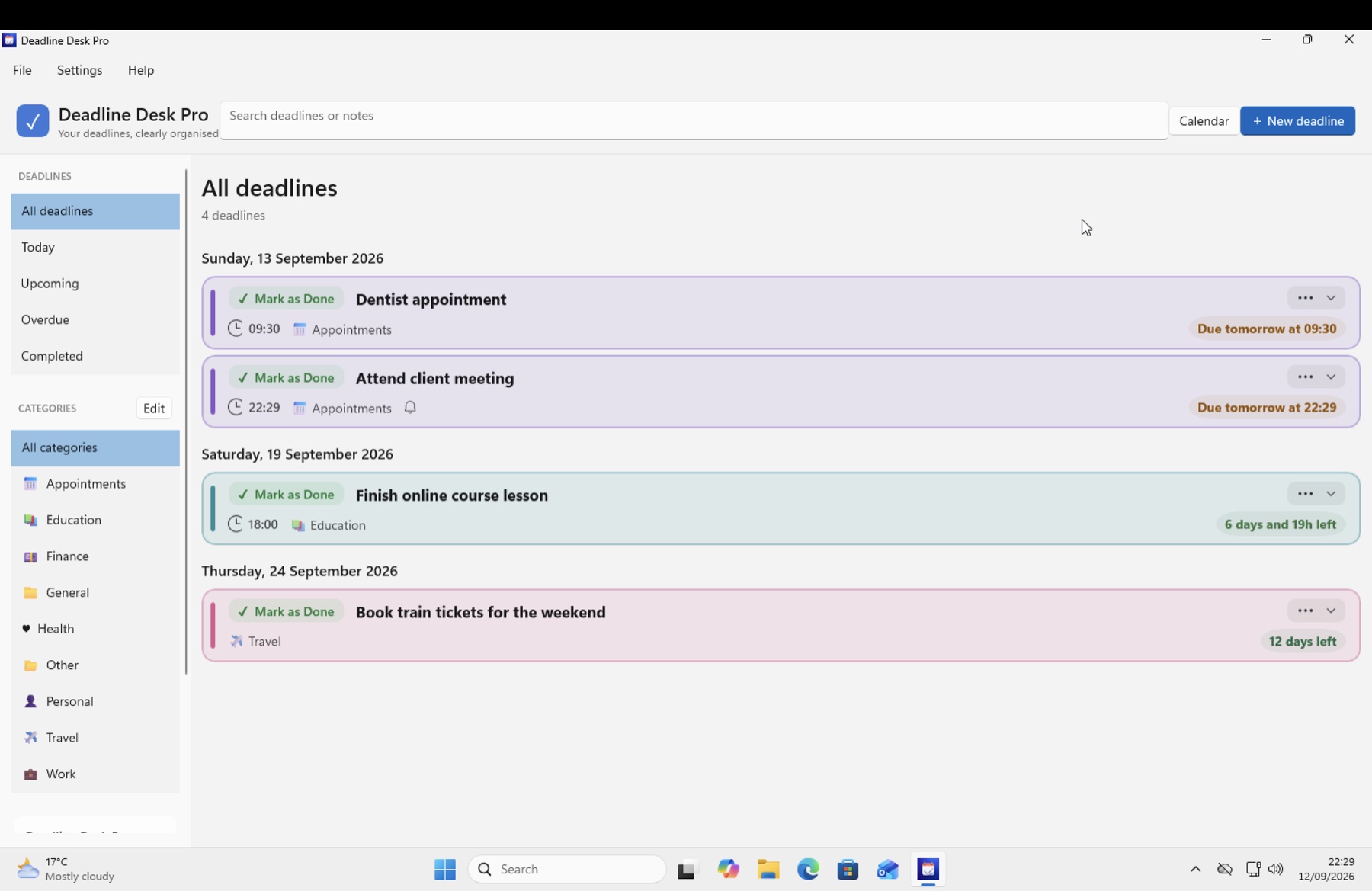
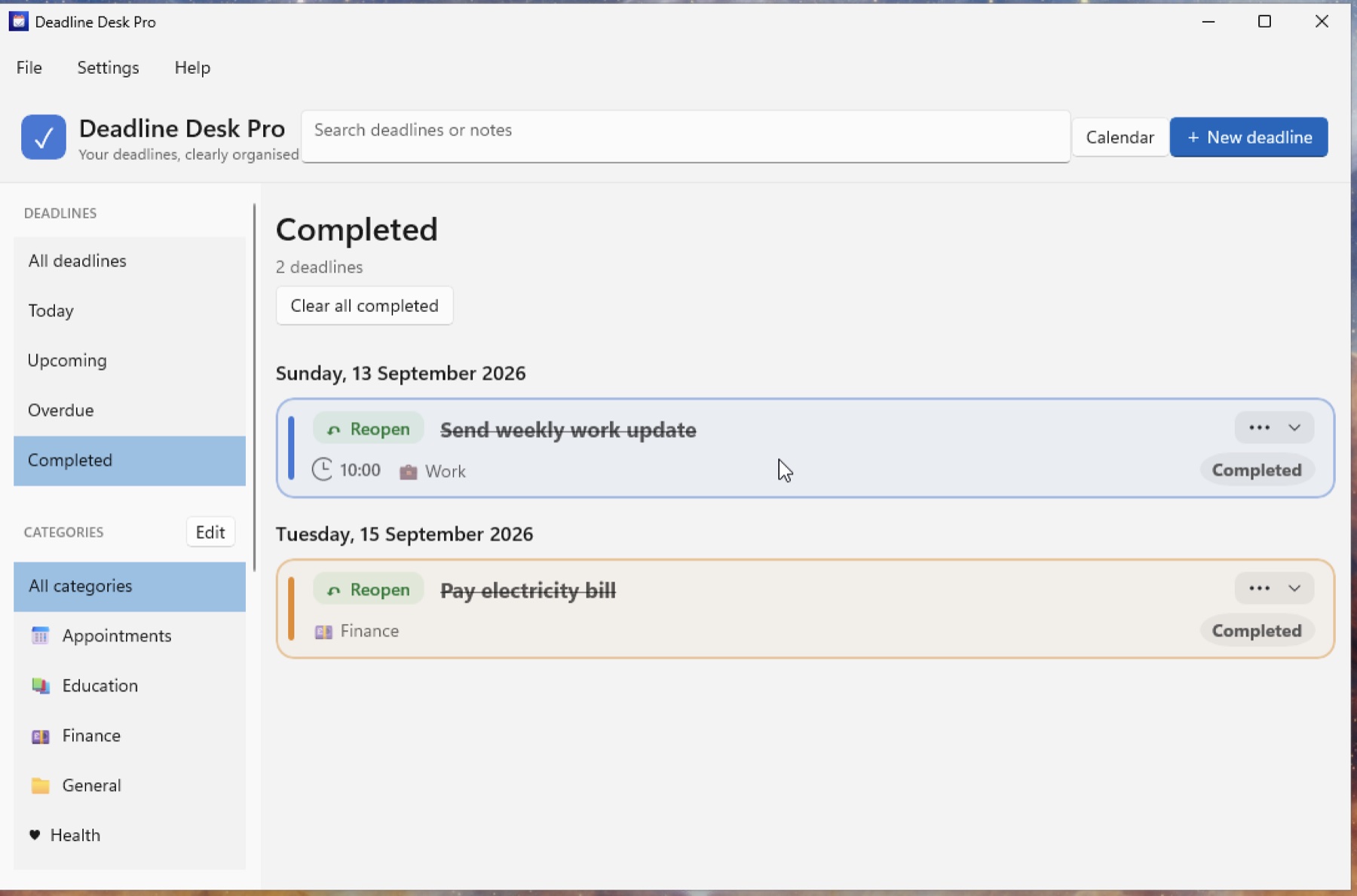
Explore the Windows workspace. Select a screenshot to take a closer look.
See your deadlines, calendar and planning details wherever you are. View on the App Store
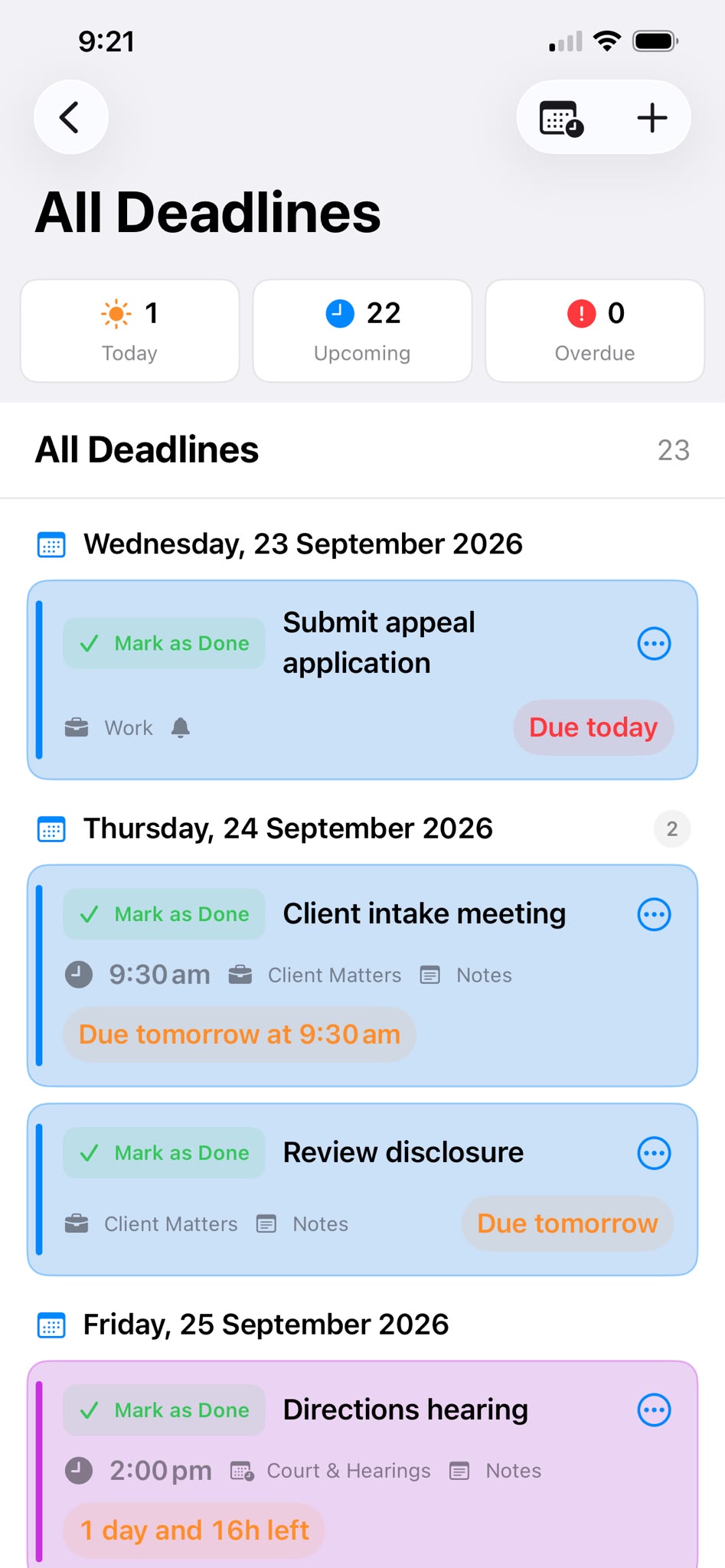
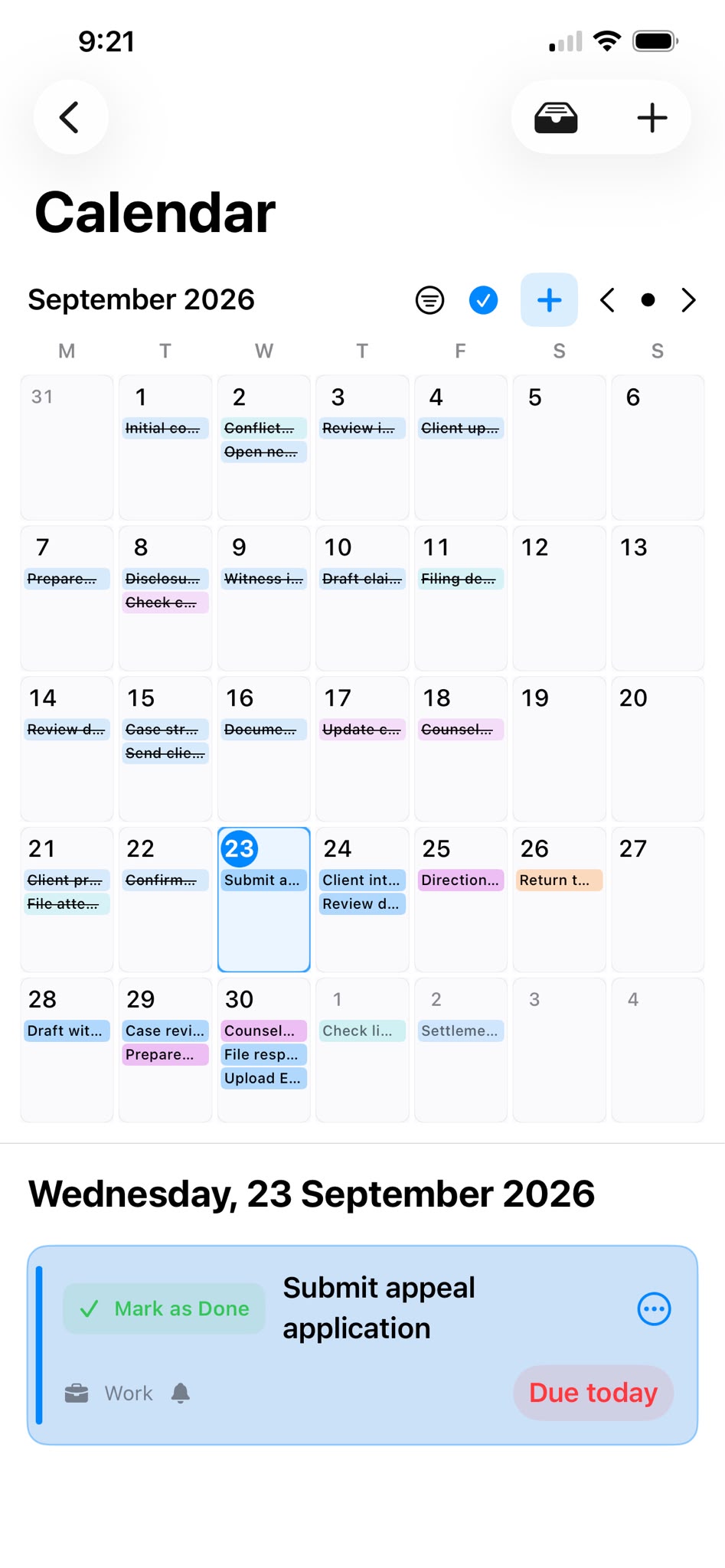
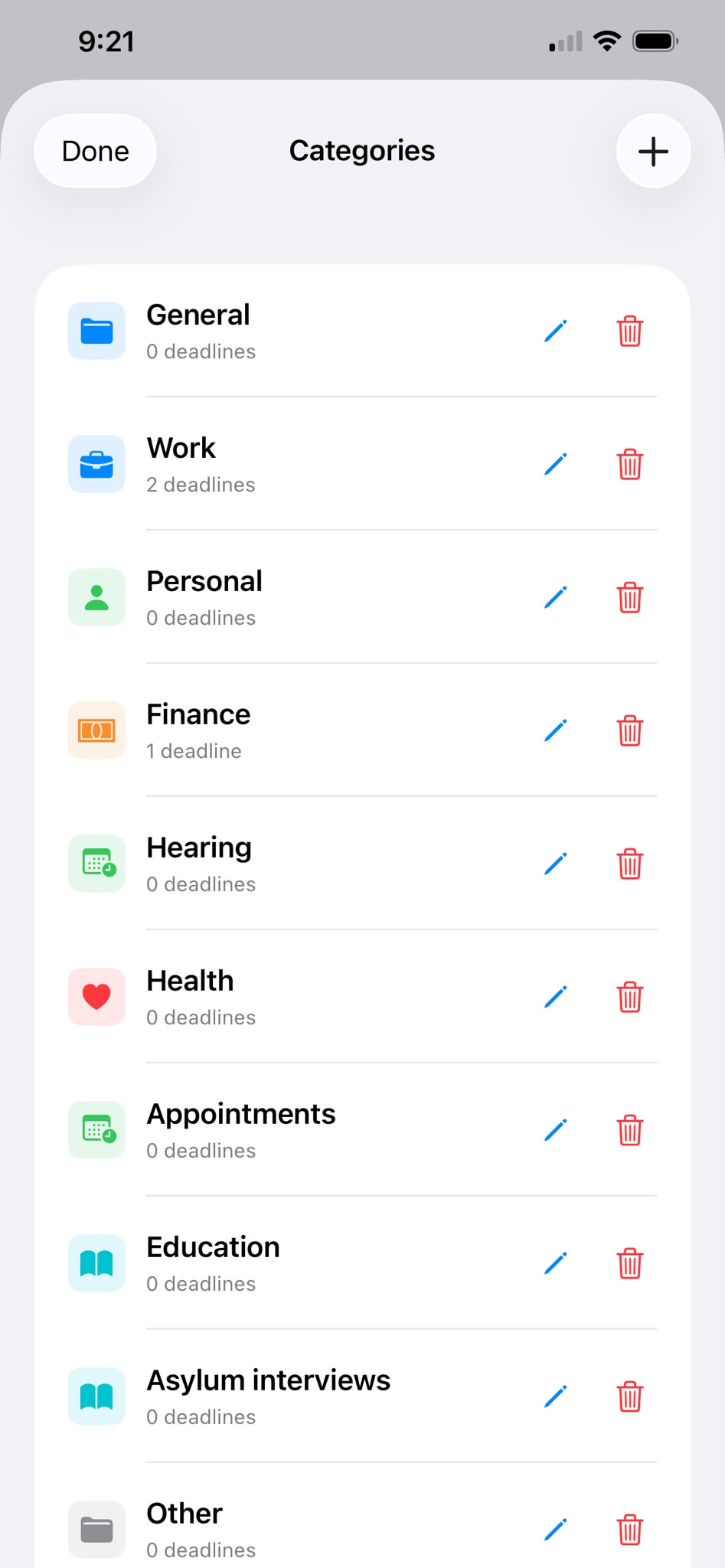
A bigger view of your plans, from your deadline list to your calendar.
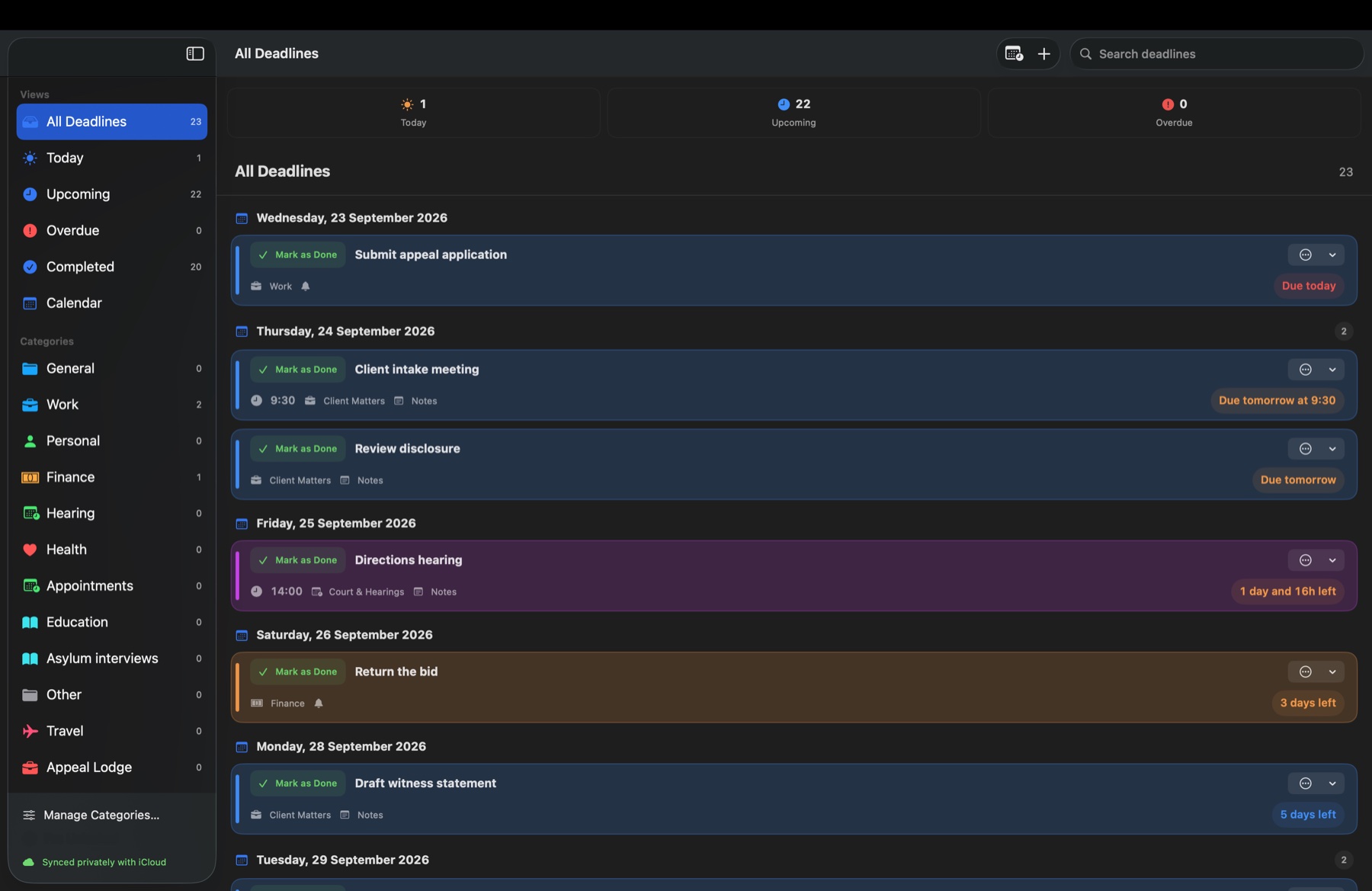
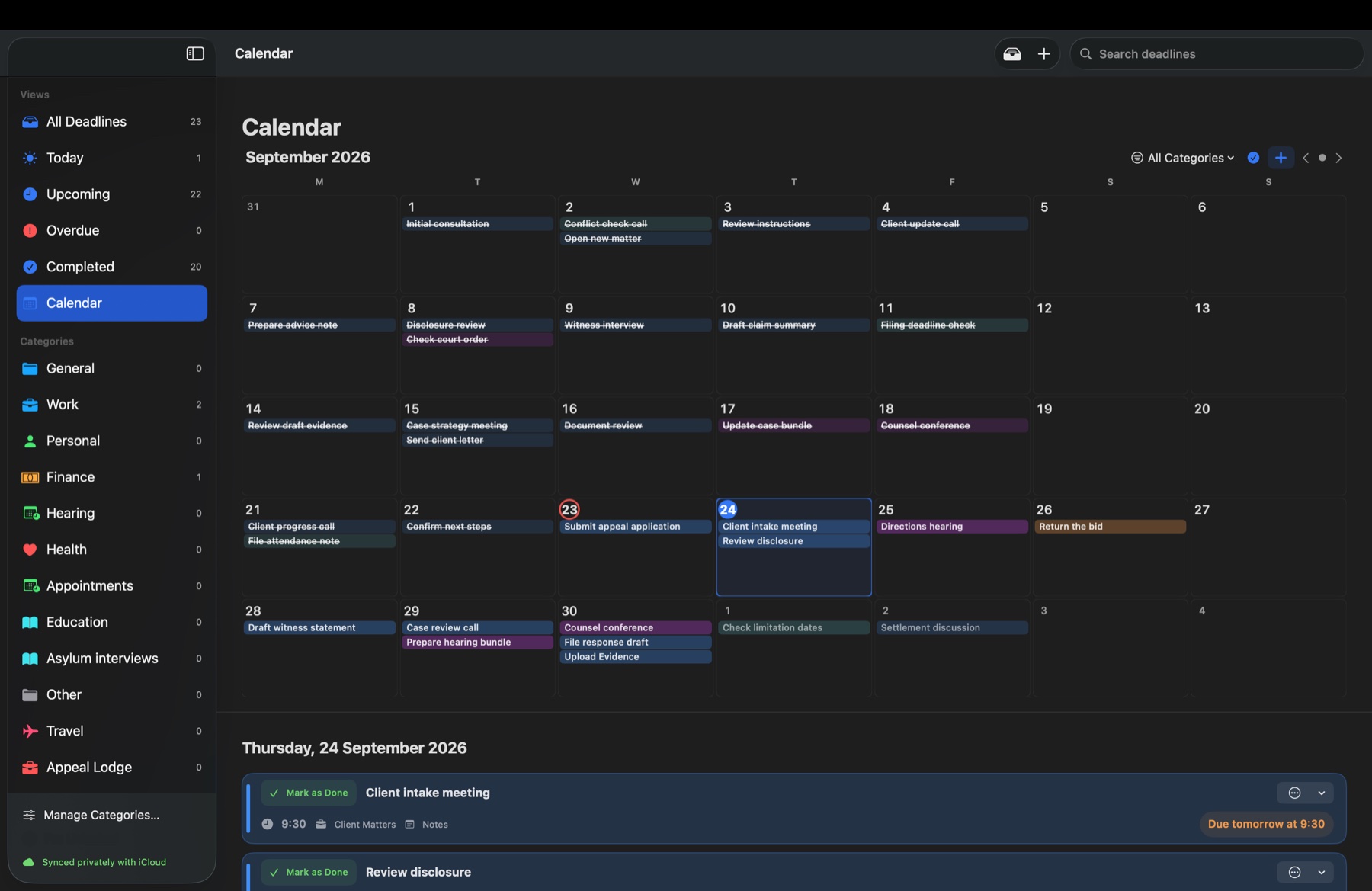
Due dates, optional times, notes and clear countdowns keep work in view. Pro adds editable category names, colours and icons.
Keep planning offline with tasks saved on your device. Use private iCloud sync across Apple devices, or connect your iPhone, iPad or Android phone to Windows with a Deadline Desk account.
Today, Upcoming, Overdue, Completed and Calendar views keep work in focus. Use the navigation to switch views; summary tiles show your counts at a glance.
Start with up to three active deadlines. Pro unlocks unlimited active deadlines and editable categories. View available plans and any eligible offers inside the app.
Find your editionPurchase and renewal details are shown before you confirm.No advertising or behavioural tracking. Calendar previews stay on your device. Tasks you add follow your chosen sync and backup settings.
Read the privacy policyFollow the step-by-step tutorial or find answers about calendars, sync, backups and Pro in the FAQ.